
Work, better organised.
Bringing the working details together helps us coordinate tasks, prepare for the next stage and keep track of the information behind your renovation.
THE CHRIS RENOVATION APP
A renovation involves plenty of details. Our app helps us organise the work and gives you one place to return to the project information, photos and documents we share with you.
Access during planning, after your booking deposit is paid to reserve your start date. Available after completion, too.
Open the attachments below to explore a sample project. This is an illustrative preview with fictional client details.
Kitchen renovation · Watford
Ready for the finishing touches
The kitchen units are in place. Next, we will review the final details together before handover.
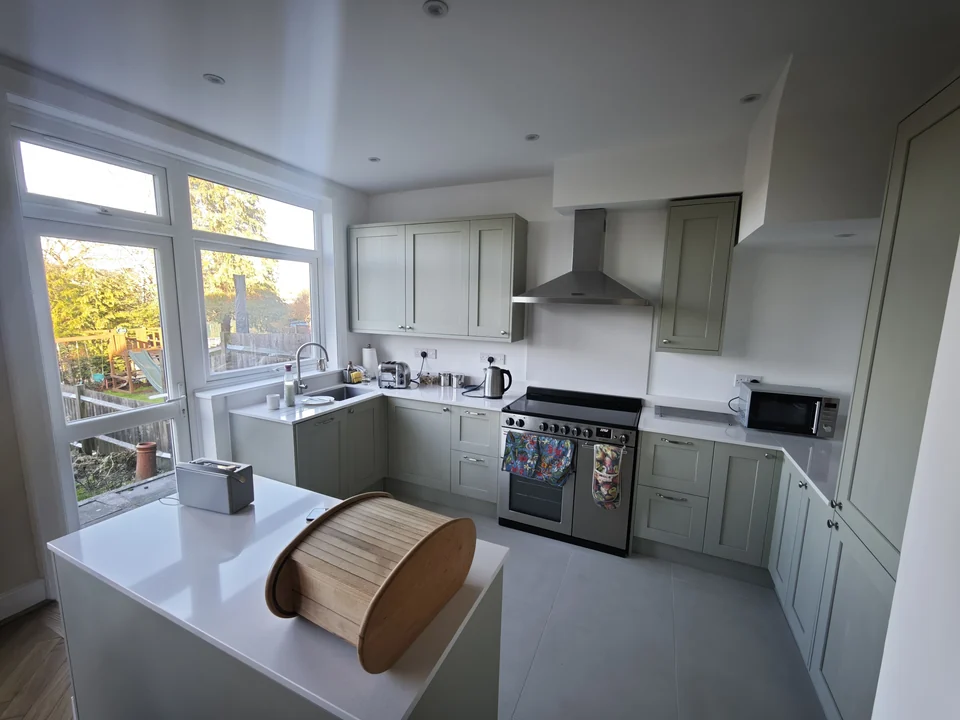
Updates, photos and shared documents in one place.
An example of the project information a client could keep together.
Next step: Review the finishing details together and prepare for handover.
This is an illustration, not a quotation or a real project record.Try the attachment drawer above. This simplified preview illustrates the experience; your portal shows the information shared for your own project.
Bringing the working details together helps us coordinate tasks, prepare for the next stage and keep track of the information behind your renovation.
Return to the information, photos and documents shared with you when preparing for a conversation, reviewing a detail or planning your next decision.
Your access continues after the work is complete. The project information and documents shared with you stay available as a useful reference.
FROM PLANNING TO HANDOVER AND BEYOND
After your booking deposit is paid to reserve your start date, we send an invitation. Follow it to activate your access and create your password.
Sign in with your email and password to view the project information, documents and attachments shared with you.
Use Client login to return during planning, throughout the work and after completion.
ALREADY A CLIENT?
Already activated your account? Sign in using your email address and the password you created. Each client receives access for their own project.
For your first visit, open the invitation from Chris to set up your access.
For a first invitation or a forgotten password, ask Chris for a new access link.
Email Chris for access helpA FEW USEFUL ANSWERS
We send your personal invitation after your booking deposit has been paid to reserve your start date. This gives you access during planning, before work begins. Follow the invitation to activate your account and set your password. You can then sign in with your email address and password.
You can view the project information, documents, photos and attachments our team has shared with you. The available content depends on your project and what has been shared.
Yes. Your access continues after completion, so you can return to the project information and documents shared with you. You can also keep your own copies of important documents.
We use the app to bring project details and working information together. It helps our team prepare for the next stage and keeps shared information easier for you to find when discussing plans or decisions with us.
After activating your access through your invitation, use Client login and sign in with your email address and the password you created. For your first visit or a forgotten password, ask Chris for a new access link. Email chrisrenovation6@gmail.com or call 07763 758275.
The portal supports our personal service. You can still speak to us directly whenever you need help.
LET’S TALK ABOUT YOUR HOME
Tell us what you have in mind. We’ll help you plan the next step.